Outcome
Build a market map once and reuse it across your listings.
Navigation path
Map Library
Access
CREBuilder account
On this page
Before you start
Data, sources, and access to prepare
- Map Library
Complete the task
- 1
Start your market map
Map Library
Choose New map to set the starting location.
Expected result: The map editor opens.
If this step does not work
Return to the library and retry if the editor fails to open.
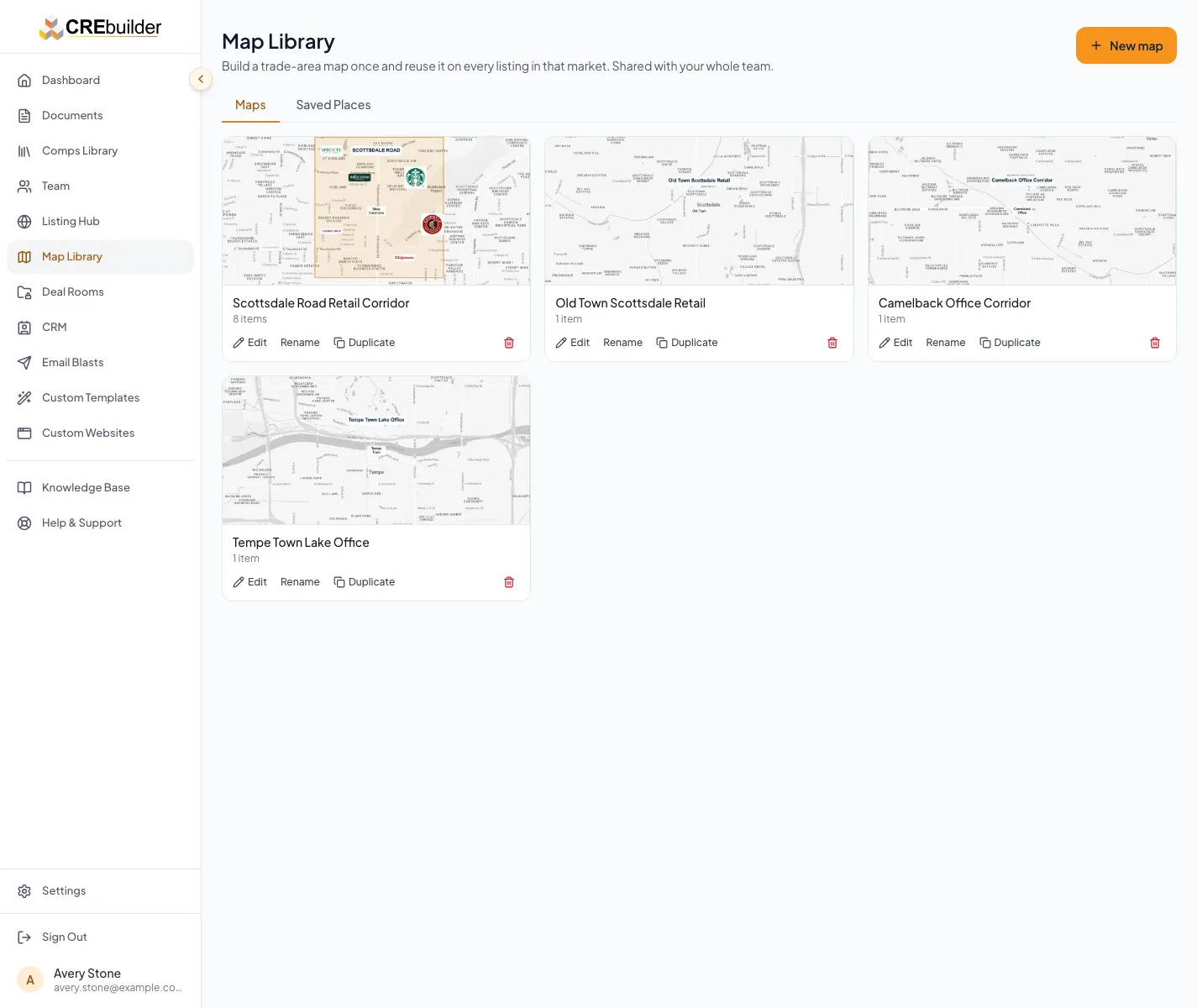
Choose New map to set the starting location. - 2
Save the reusable design
Document Maps step
On an existing map card, choose Save to library.
Expected result: The editable map is available in Map Library.
If this step does not work
Reopen the library and confirm the entry before leaving the document.
- 3
Reuse it for a listing
Document Maps step
Choose From Library to select the map for the listing’s market.
Expected result: A separate document copy uses the new subject property.
If this step does not work
Choose a map closer to the subject if the different-market warning appears.
- 4
Capture the document map
Map editor
Check the subject, labels and framing before choosing Save Map.
Expected result: The document has a fresh map capture.
If this step does not work
If saving fails, follow the error and reload the latest document before retrying.
- 5
Keep useful places handy
Map Library
Open Saved Places to find your saved locations.
Expected result: Reusable locations appear in the company library.
If this step does not work
Check the company and account if a place is missing.
Result check
Verify before you finish
- Open the destination document again. Confirm the saved copy contains the intended information and that a later library edit has not changed it automatically.
Troubleshooting
Start your market map
- Return to the library and retry if the editor fails to open.
Save the reusable design
- Reopen the library and confirm the entry before leaving the document.
Reuse it for a listing
- Choose a map closer to the subject if the different-market warning appears.
Capture the document map
- If saving fails, follow the error and reload the latest document before retrying.
Keep useful places handy
- Check the company and account if a place is missing.
Cautions
Library maps are shared within your company. Teammates can use and duplicate maps; editing, renaming and deleting are limited to the creator or a company admin. Library changes do not rewrite document copies. Pick maps for the same market and check the new subject before saving. Keep provider attribution visible.
Verify before you finish
- Open the destination document again. Confirm the saved copy contains the intended information and that a later library edit has not changed it automatically.
Related guides
Your next OM, done this afternoon
Turn your property facts, photos and financials into a polished, branded offering memorandum. Most brokers finish in 30 to 90 minutes.
No credit card required.