Features / Document Maps
Add Commercial Real Estate Maps to Every Marketing Document
Build retailer maps, annotated aerials, trade-area maps, and property-location maps as part of the same workflow you use to create an OM, sales teaser, flyer, BOV, or property website.
No credit card required
Make the location part of the story.
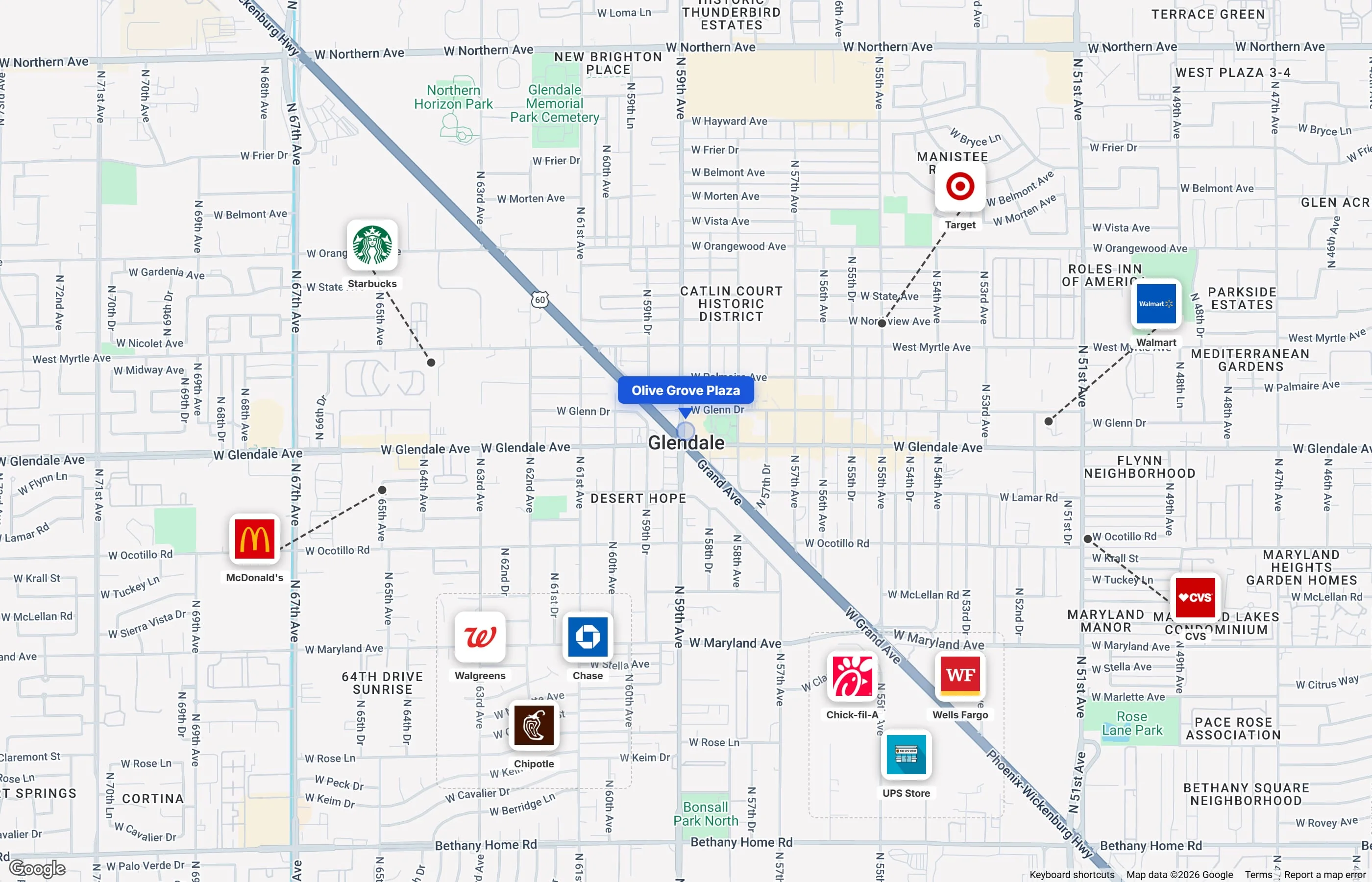
Show the retail context at a glance
Build a location map with recognizable nearby brands and a clearly marked subject property.
Map Sections Built Into Every CRE Document
Retailer Logo Overlays
Drop retailer and business logos directly onto aerial maps using the Brandfetch integration. Search by name, place the logo, and show the tenant mix inside the document.
Shape Annotations
Draw circles, rectangles, and polygons to highlight trade areas, parcels, competition zones, and points of interest on your maps.
Text Labels & Callouts
Add text labels, distance markers, and callout annotations to highlight key features like highway access, nearby amenities, and surrounding developments.
Subject Property Markers
Mark your subject property with a customizable pin, highlight the parcel boundary, and show its context within the surrounding area.
Map Options Available in Every Document
Use Cases by Property Type
The map step adapts to the property type and document you are building.
Shopping Center Tenant Maps
Show every retailer at your center with their logos placed on the aerial map. Buyers can see the tenant mix at a glance.
Learn MoreTrade Area Analysis
Draw radius rings (1mi, 3mi, 5mi) around your property and label population, income, and traffic data for the trade area.
Learn MoreIndustrial Logistics Access
Annotate highways, rail lines, port distances, and key logistics routes to show transportation access for warehouse properties.
Learn MoreLand & Development Context
Highlight surrounding developments, zoning boundaries, road frontage, and infrastructure access for land and development sites.
Learn MoreDocument maps are included with every CREBuilder plan, including Starter.
Draw maps and add annotations at no extra cost. PDF export requires Pro, from $69/month billed annually ($89/month billed monthly). No contracts.
View Plans & PricingUse Maps Across Your Marketing Package
Frequently Asked Questions
How does the retailer logo overlay work?
Can I add multiple maps to one document?
What types of annotations can I add?
Are document maps included in all plans?
Can I export maps to PDF?
Ready to Add Maps to Your CRE Documents?
Start the document and build each map inside the same guided workflow.