Step-by-step tutorial
Create an Offering Memorandum
Build a polished Offering Memorandum and download the finished PDF. Most brokers finish in 30 to 90 minutes once their property facts, photos, and financials are ready.
For investment sales teams · 10 lessons (7 required)
Start tutorial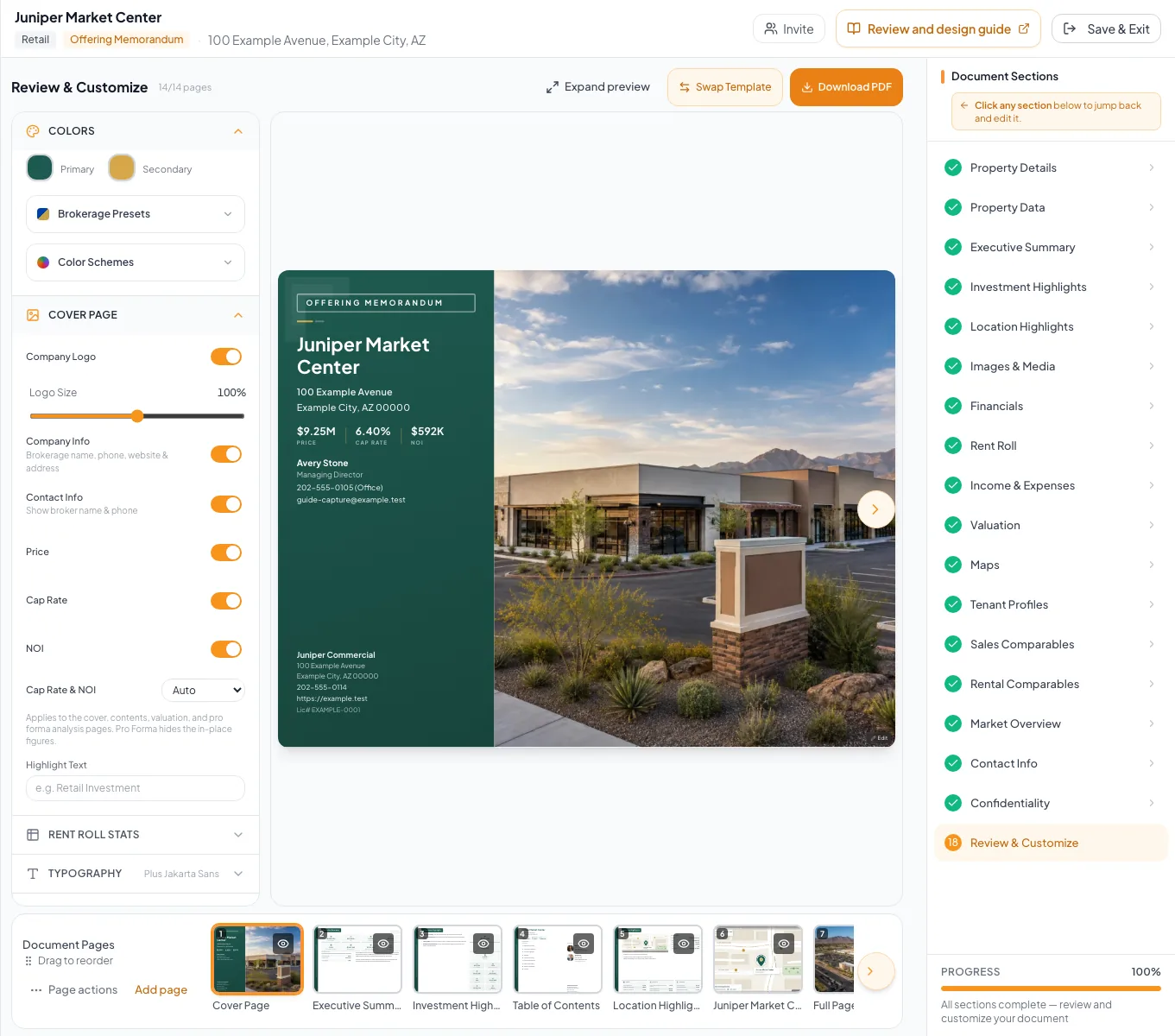
Follow along with video
10 short lessons · 13:31 total. Each lesson has captions, a transcript, and its written guide.
Before you start
- A CREBuilder account that can create documents.
- Property facts: address, asking price, building size or unit count, and year built.
- Photos, with your strongest exterior shot first, plus any site plan or aerial.
- Your rent roll and T-12 or operating statement, if the OM includes financials.
- Your logo, brand color, and the broker contacts to list.
Your lessons
Work through the lessons in order. Skip an optional lesson when it doesn't apply to your property.
Create your OM document
RequiredChoose Offering Memorandum, the property structure, property type, and design.
Enter the property details
RequiredEnter the address, asking price, and property facts in the document wizard.
Write the property story
RequiredAdd and format the descriptions and narrative sections your OM needs.
Add and organize photos
RequiredUpload your photos, choose their order, and check the cropping.
Create a property map
OptionalOpen the subject property and prepare a map for the document.
When to use this lesson: Use this lesson when the OM includes a custom map.
Choose the financial scope and model
RequiredPick how much financial detail this OM shows (Full Financials, Rent Roll Only, Cap Rate & NOI, or Skip Financials) and, with a rent roll, its model.
Build and verify the rent roll
OptionalEnter tenants or units and vacancies, then check the totals against your rent roll.
When to use this lesson: Use this lesson for Full Financials or Rent Roll Only. Skip it for Cap Rate & NOI or Skip Financials.
Reconcile income, expenses, and NOI
OptionalEnter the operating statement and check income, expenses, and NOI against your T-12.
When to use this lesson: Use this lesson for Full Financials. Skip it for Rent Roll Only or Skip Financials.
Check contacts and disclosure
RequiredSet the broker contacts, add tenant profiles where they apply, and confirm the confidentiality statement.
Review every page and download the PDF
RequiredPage through the design, fix anything at its source, then select Download PDF and check the file.
Your next OM, done this afternoon
Turn your property facts, photos and financials into a polished, branded offering memorandum. Most brokers finish in 30 to 90 minutes.
No credit card required.